QR Code Tattoo Generator
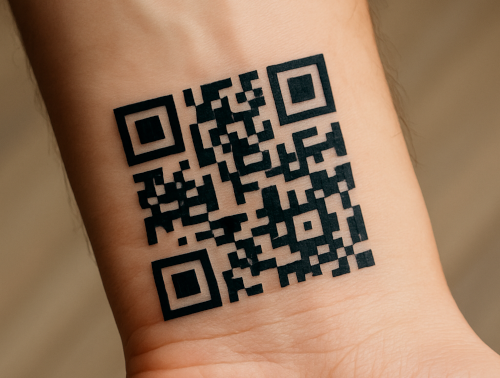
Our QR code tattoo generator transforms your wild ideas into inkable codes that future you may or may not regret.
How to use a QR code tattoo generator?
Using the QR code tattoo generator is easier than explaining to your grandma what a meme is: just pick the type of QR code you want (text, URL, email, Wi-Fi, phone number, location, or even a fancy vCard), type in your info, smash that shiny “Generate Tattoo” button, and boom – you’ve got a scannable masterpiece ready to be downloaded as a PNG or SVG file, perfect for showing your tattoo artist.
Reasons To Use Our QR Code Tattoo Generator?
Unlimited Designs
Create as many QR code tattoo ideas as you like until you find the one that feels perfect for your skin.
Downloadable codes
Download your design as a crisp PNG or SVG file, giving your tattoo artist a flawless template to ink from.
Private and Safe
We never save or share your designs, so your secret messages and creative ideas stay yours alone.
Tips Before Getting QR Code Tattoo?
Before you run to the tattoo shop with your shiny new design, test the QR code on multiple phones to make sure it actually works; you don’t want a permanent “Oops”.
Choose a flat spot on your body so the code doesn’t get warped into an abstract art piece. Bigger is usually better since tiny codes can blur over time and turn into mysterious blobs.
Make sure your tattoo artist is comfortable with straight lines and small details, because QR codes aren’t exactly forgiving.
And finally, pick a link or message you won’t regret in ten years. Your future self might not appreciate carrying around a permanent Rickroll.